ESP32C6 SSM 보드로 다운로더 CCLoader 를 만들고 Zigbee Sniff 펌웨어를 다운로드한 Sniff 보드를 이용하여 Zigbee 프로콜을 분석해 보자
zboss_sniffer.exe 를 실행하면 장치를 인식하고 ZigBee page와 원하는 채널 번호를 선택하여 Start 버튼을 누르면 Wireshck 프로그램이 자동 실행된다.

Wireshck 프로그램이 실행되면 Zigbee 장치의 패킷이 캡쳐되는것을 확인 할 수 있다.
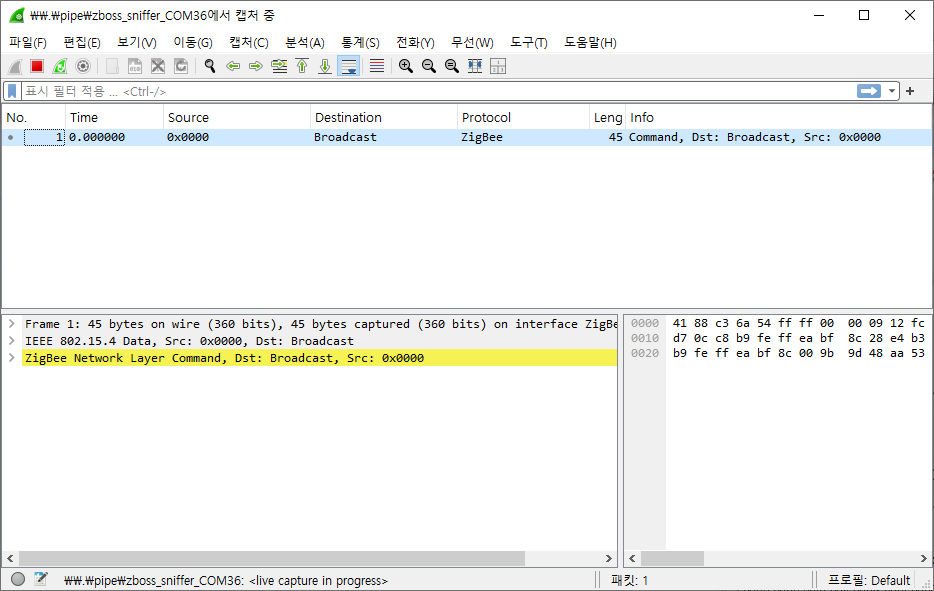
ESP32C6 Zigbee 코디네이터와 엔드 디바이스를 구동하고 패킷 캡쳐를 해 보자
코디네이터의 MAC가 Espressif 로 확인되고 주기적으로 장치를 찾기위해 브로드 캐스트 하는것을 확인 할 수 있다.
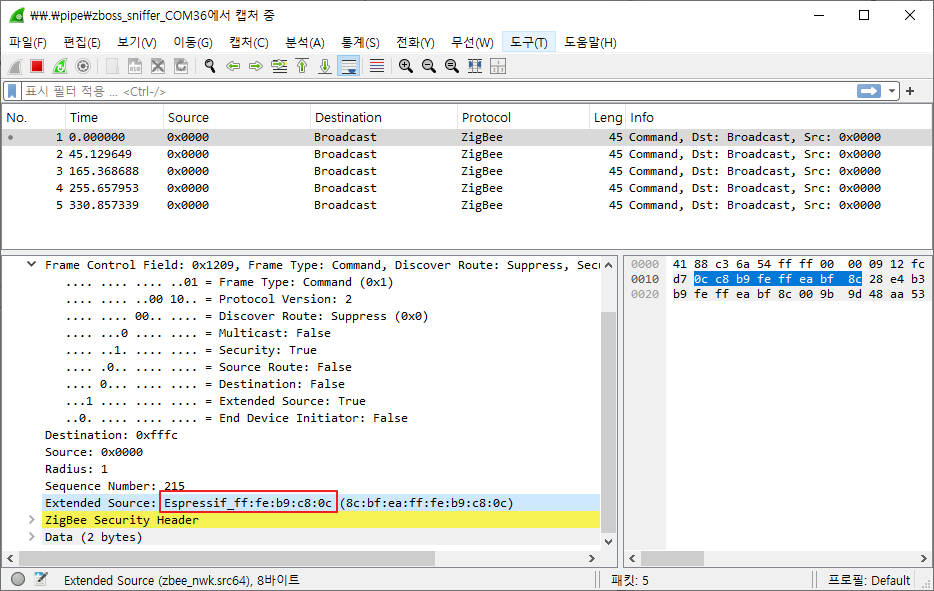
장치기 인식되고 Gateway에 등록 될때 까지의 패킷

이때 디버깅 메시지를 보면 Light End Device(0x8f29)가 코디네이터(0x546a)에 접속하는 정보가 출력 된다.
I (1026) ESP_ZB_GATEWAY: Network(0x546a) is open for 180 seconds
I (5206) ESP_ZB_GATEWAY: ZDO signal: ZDO Device Update (0x30), status: ESP_OK
I (5216) ESP_ZB_GATEWAY: New device commissioned or rejoined (short: 0x8f29)
I (5236) ESP_ZB_GATEWAY: User find cb: response_status:0, address:0x8f29, endpoint:10
I (5256) ESP_ZB_GATEWAY: Simple desc response: status(0), device_id(256), app_version(0), profile_id(0x104), endpoint_ID(10)
I (5256) ESP_ZB_GATEWAY: ESP_ZB_HA_ON_OFF_LIGHT_DEVICE_ID
I (5256) ESP_ZB_GATEWAY: Found light
코디네이터에서 스위치를 누르면 발생하는 Zigbee 패킷 캡쳐 데이터

I (5256) ESP_ZB_GATEWAY: Try to bind On/Off
I (5266) ESP_ZB_GATEWAY: Successfully bind the sensor from address(0x0) on endpoint(0)
I (5276) ESP_ZB_GATEWAY: The sensor from address(0x0) on endpoint(0) successfully binds us
I (11336) ESP_ZB_GATEWAY: Send 'on_off toggle' command
이렇게 기본 Light 장치의 기본 동작에 대한 패킷을 분석해 보았는데... 앞으로 다양한 장치 특히 타 제조사의 Zigbee End Device들을 연결하면서 패킷을 분석해서 GateWay 장치를 만들어 보자


